Drop-Down
A Drop-Down list of values of which one can be selected.
Tag
"type": "select"
Values
The drop-down type supports the following values:
options
An array of options of which the user can choose one from. Each entry is either a plain string, which is displayed and sent to the device as-is, a {text, value} object to show a different label (text) than the value which is sent to the device (value), or a {label, options: [...]} group to display a set of entries grouped under a heading (label). The nested options of a group follow the same rules (plain strings or {text, value} objects).
default
The value which is pre-selected. It must match the value of one of the entries in options (the string itself for plain entries, or the value field for {text, value} entries), otherwise the first entry is selected.
Argument Passed to the Device
This section describes the value (VALUE_FROM_THE_USER) which will get passed to the device.
Read the Parameters section of the device.execute method for the general structure of the argument.
The value will be the value of the option which is selected - for plain string entries this is the same as the displayed name, for {text, value} entries it is the entry’s value.
Example
This example shows how this type of option will look in the webapp.
Option configuration
{
    "name": "Select the size of your cup",
    "type": "select",
    "id": "select-1",
    "values": {
        "options": ["Small", "Medium", "Large"],
        "default": "Medium"
    }
}
Result
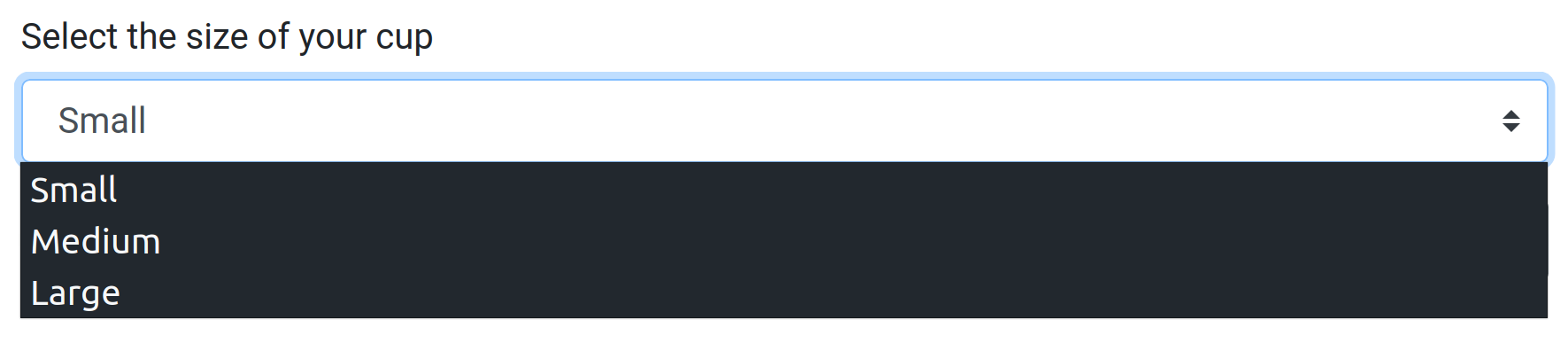
passed value:
{
    "id": "select-1",
    "value": "Medium"
}
Using {text, value} entries to show a different label than the value which is sent to the device:
{
    "name": "Select the size of your cup",
    "type": "select",
    "id": "select-2",
    "values": {
        "options": [
            {"text": "Small", "value": "S"},
            {"text": "Medium", "value": "M"},
            {"text": "Large", "value": "L"}
        ],
        "default": "M"
    }
}
Selecting “Medium” then passes:
{
    "id": "select-2",
    "value": "M"
}
Grouping entries under a heading with {label, options: [...]}:
{
    "name": "Select the size of your cup",
    "type": "select",
    "id": "select-3",
    "values": {
        "options": [
            "Small",
            {
                "label": "Special sizes",
                "options": [
                    {"text": "Medium", "value": "M"},
                    {"text": "Large", "value": "L"}
                ]
            }
        ],
        "default": "M"
    }
}
Selecting “Medium” (from the “Special sizes” group) then passes:
{
    "id": "select-3",
    "value": "M"
}